 EmailFlare
- From:
- you@yourdomain.com
- To:
- your customers, your team
- Subject:
- Email that runs on your Cloudflare account.
- Received:
- by your-worker.workers.dev with D1, R2, Queues and KV
EmailFlare is a send API and a shared team inbox in one Worker you host yourself. Your domains, your mailboxes and every message stay in your own account.
Source-available, free to self-host No hosted service Your account, your data
Built on Cloudflare
- Workers
- D1
- R2
- Queues
- KV
- Durable Objects
- Email Routing
Why EmailFlare
Most email tools split your story in two.
Sending lives in one product and replies in another, and you pay twice to keep them apart. Cloudflare already provides the pieces. EmailFlare is the application on top.
What's included
Three products, one deployment.
Send transactional mail, answer customers and manage your domains from the same dashboard and the same data.
The dashboard
Built to be used every day.
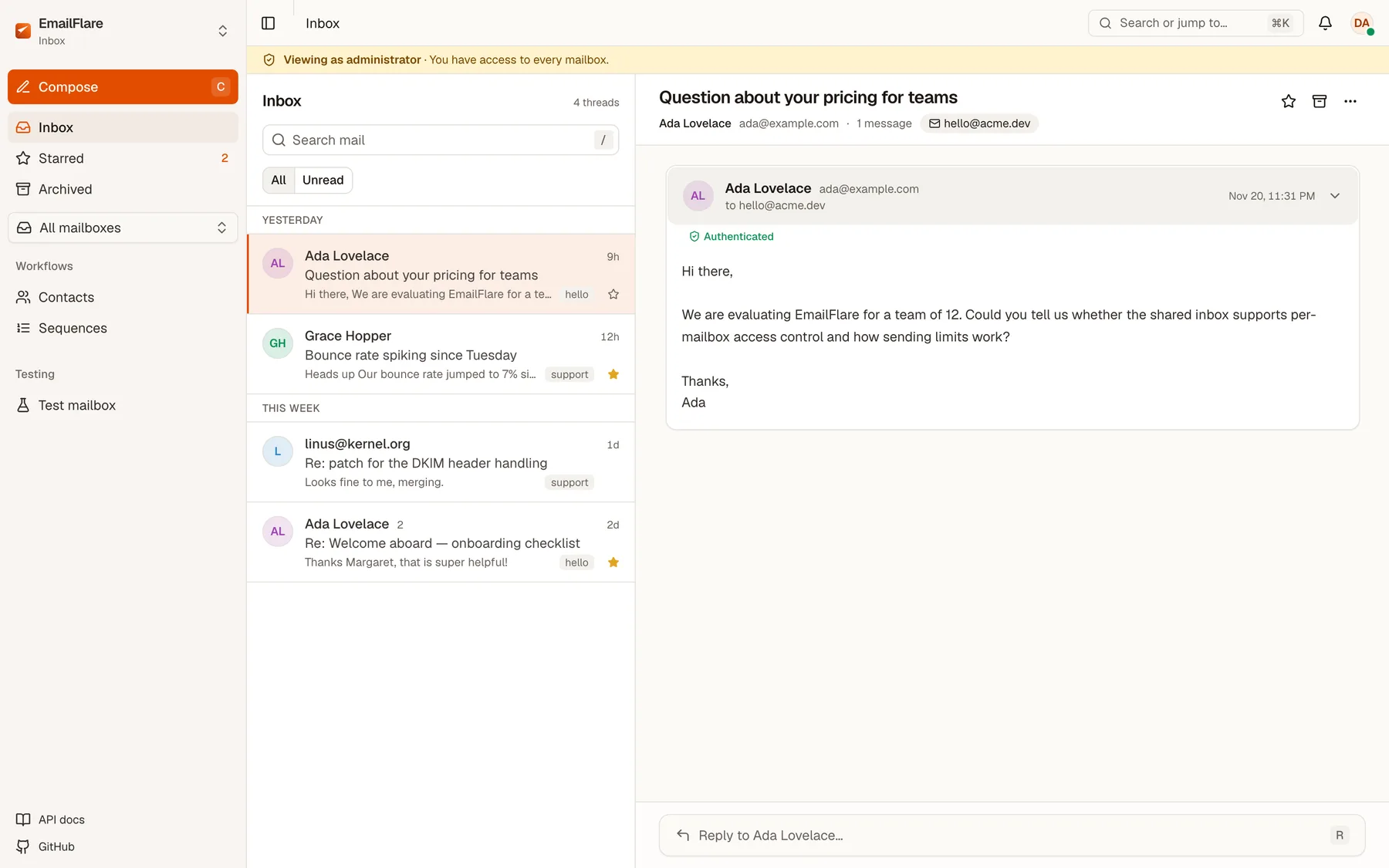
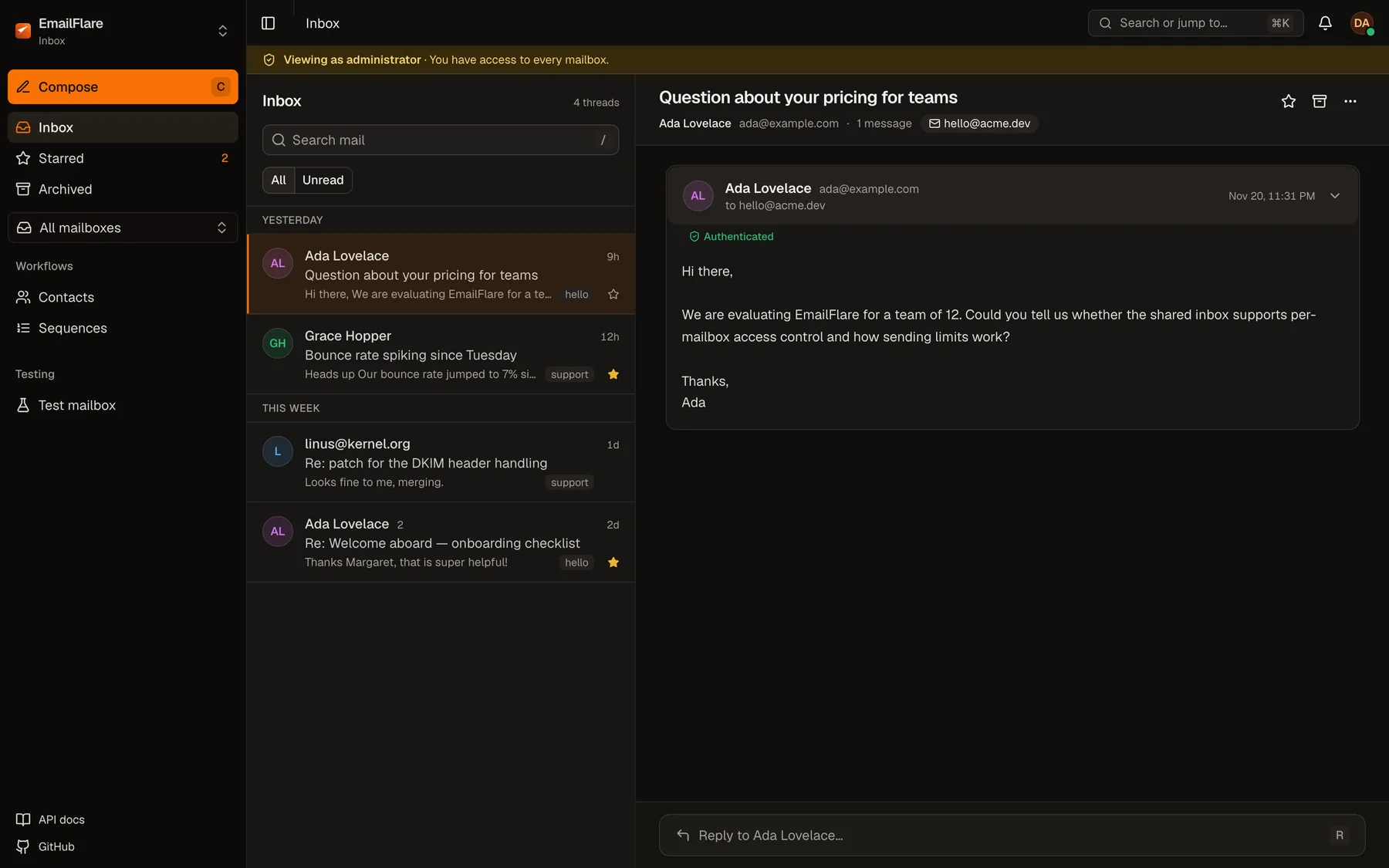
Real screens from a running instance. Light and dark follow your system or the toggle above.
A shared inbox that feels like mail
Threads, search, unread filters and a reply box that stays out of the way. Keyboard shortcuts cover compose, reply, star and archive.
Send API
One endpoint. Your keys, your domain.
Call POST /v1/send from any language. Pass a template and variables, or send raw HTML. Every request is logged, and every bounce updates your suppression list.
- Keys scoped to a domain or the whole workspace
- A test mailbox that captures mail in dev and CI
- One-click unsubscribe headers (RFC 8058) built in
curl -X POST https://your-emailflare.workers.dev/v1/send \
  -H "Authorization: Bearer eflive_your_api_key" \
  -H "Content-Type: application/json" \
  -d '{
    "from": "hello@yourdomain.com",
    "to": "alex@example.com",
    "subject": "Welcome aboard",
    "templateId": "welcome-email",
    "variables": { "name": "Alex" }
}'<h1>Welcome, {{name}}</h1>
{{#if trialDays}}
<p>Your trial ends in {{trialDays}} days.</p>
{{/if}}
<a href="{{actionUrl}}">Get started</a>Templates
Fifty layouts. Your own variables.
Use a built-in layout for onboarding, receipts, security alerts or newsletters, or write your own template with variables and conditionals, with a live preview in the dashboard.
Architecture
One Worker. Five Cloudflare services.
No containers, no mail server, no cluster. The dashboard, the REST API and the email handlers ship as a single Worker that talks to services in your account.
Inbound mail
Email Routing catch-all
Browser and API calls
HTTPS to your Worker
Scheduled work
Cron for sequences
Dashboard
Inbox and workspace
REST API
/v1/send and /api/*
Handlers
email, queue, scheduled
D1
Threads, contacts, keys, logs
R2
Raw MIME and attachments
Queues
Reliable outbound sends
KV
Rate limits, short tokens
Durable Objects
Live inbox updates
Read the deployment guide for bindings and secrets.
Get started
From click to first send in three steps.
You need a Cloudflare account and a domain on Cloudflare. The deploy button does the provisioning.
- 1
Deploy the Worker
The deploy button forks the repository into your account and provisions the D1 database, R2 bucket, KV namespace and queue it needs. Nothing to install locally.
- 2
Create your admin account
Open the new workers.dev address. The /setup wizard creates the first administrator and your workspace.
Set the three secrets wrangler secret put SESSION_SECRET wrangler secret put CF_API_TOKEN wrangler secret put CF_ACCOUNT_ID - 3
Add a domain and send
Enable a domain from the dashboard. EmailFlare routes catch-all mail to the Worker, shows the DNS records still missing, and your first API key can send straight away.
Security and ownership
Readable code. Your account. Sensible defaults.
The full source is on GitHub under the Elastic License 2.0, so you can read exactly what runs against your mail.
FAQ
Questions people ask first.
Support the project
Free to self-host. Sponsored by people who use it.
EmailFlare has no paid tier and no hosted upsell. If it replaces a monthly bill for you or your team, a small sponsorship is what keeps it maintained.
Security fixes
Triage and patch reports quickly, with advisories.
Maintenance
Keep dependencies, migrations and the Cloudflare integration current.
Docs and templates
More recipes, more layouts, clearer guides.
Own your email. Deploy it in minutes.
Click once, finish a short setup wizard, and send your first message from your own domain. No servers to patch, no per-email pricing, no vendor holding your mail.